Presets
Details, a status, a timer, artwork keys, and up to two buttons. Discord’s title comes from the application name, not the name in this list.
Discord presence router
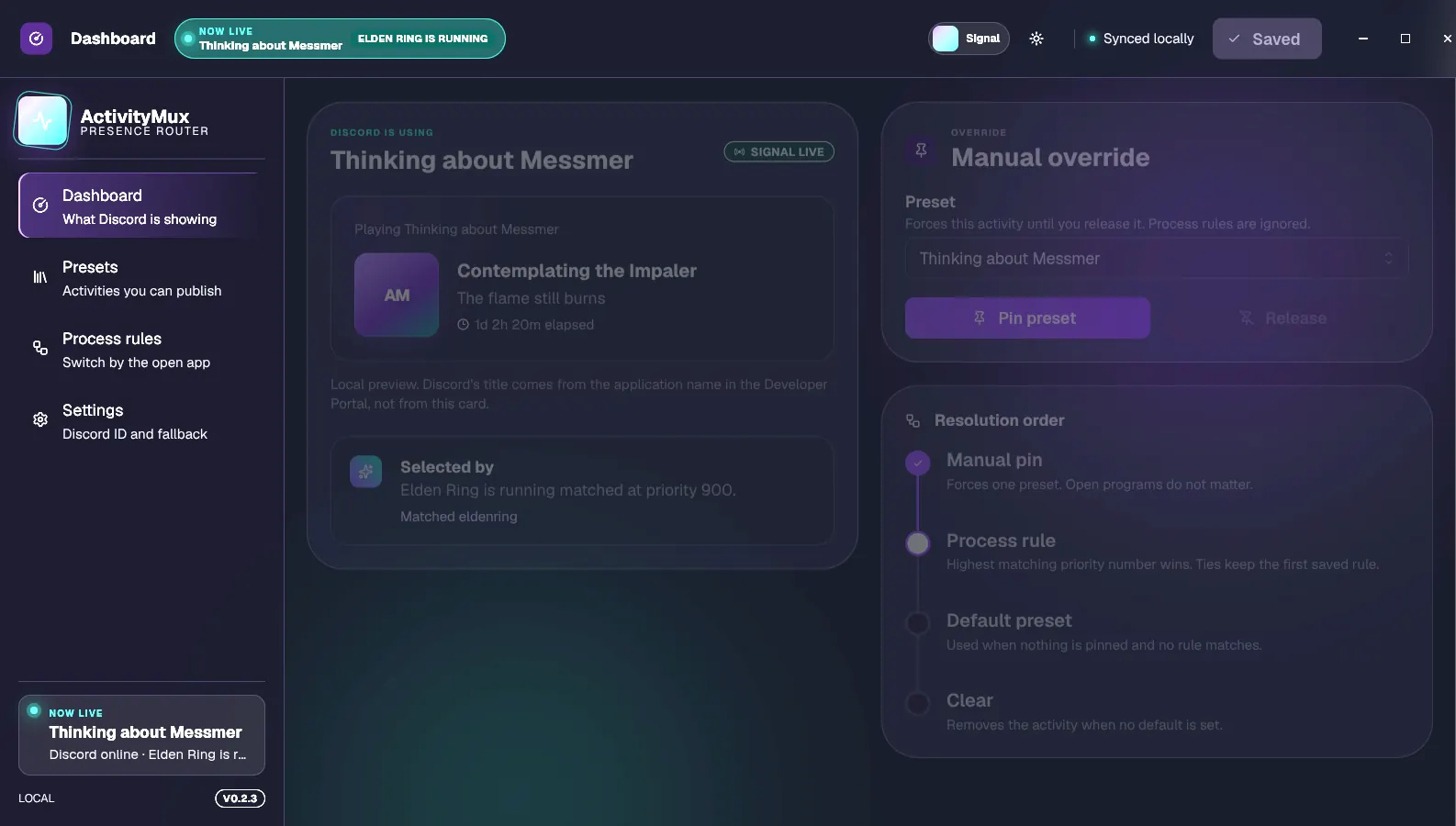
ActivityMux publishes one custom Discord activity and switches it for you: a manual pin, the program you have open, or a fallback.
How it chooses
Forces one preset until you release it. Open programs do not matter.
Highest matching priority wins. A tie keeps the first rule you saved.
Used when nothing is pinned and no running program matches.
Removes the activity when no default is set.
ActivityMux controls only the presence it publishes. Discord game detection, Spotify, consoles, and other connections stay separate.
Details, a status, a timer, artwork keys, and up to two buttons. Discord’s title comes from the application name, not the name in this list.
Pick a running program. The rule stores its process name and a priority, not the file path.
Tray, launch at login, reconnect, and a JSON file you can export. An update check asks before it downloads.
Setup
No bot token. No client secret.
Create one in the Discord Developer Portal. Name it the title you want Discord to show. Upload artwork there if you want images.
Copy it from General Information into Settings and save. A preset can use its own ID when it needs a different title.
Make a preset, then pin it, set it as the fallback, or attach it to a running program.
FAQ
No. It uses a public Application ID and Discord’s local connection on this computer.
Discord takes the title from the application you created. A different title needs a different Application ID on that preset.
No. It controls only the custom presence that ActivityMux publishes.
Presets, rules, and the Application ID stay in a JSON file on your computer. You can export that file. Appearance stays on that computer and is not included.
The app checks GitHub Releases and asks before downloading. Windows updates through the installer. Linux updates the AppImage. The .deb package does not update itself.
The installers are unsigned. The source and the build workflow are public.
Download
macOS is not supported. Pick the package for the machine you are on.
Current-user installer. Unsigned, so SmartScreen may warn. This build can update itself.
Download .exeOne file, no install step. This is the Linux build that can update itself.
Download AppImageFor Debian and Ubuntu. It does not update itself. Install the next release over it.
Download .deb